

Markets mobile app
Learn how to use perpetuals and multipliers to trade price movements, and follow our step-by-step guide to placing your first trade.
Last updated
How trading works on Markets
Trading on Markets is a bit different from buying stocks or crypto on a traditional exchange. Here is a simple breakdown of how it works and how you can boost your trading power.
Trading up or down
Because you do not actually own the underlying asset, you have the flexibility to trade on price movements in either direction.
- If you believe the asset's price will rise, you place an Up trade.
- If you believe the asset's price will fall, you place a Down trade.
Your profit or loss is determined by the difference between the asset's price when you open the trade and the price when you close it.
No expiration dates
In traditional finance, many trading contracts have a strict expiration date. The word "perpetual" means these contracts never expire. As long as your account has enough funds to support your position, you can keep your trade open for as long as you like.
Understanding multipliers
Multipliers are a powerful tool that allow you to increase your trading power using your existing cash balance. Instead of trading with just the cash you have on hand, you can multiply your position size to capture larger market movements.
When you place a trade, you can select a multiplier level. The default multiplier is 10x, with options up to 50x.
A simple example: You place a $100 trade with a 10x multiplier. This gives you the buying power of a $1,000 trade.
- If the asset's price moves in your favor by 1%, you earn a $10 profit (a 10% gain on your $100).
- If the asset's price moves against you by 1%, you take a $10 loss (a 10% loss on your $100).
Multipliers cut both ways
Multipliers increase the impact of both profits and losses. The higher the multiplier, the faster your trade reacts to small price changes, and the greater the risk. If the market moves far enough against you, your trade will automatically close. This is called a liquidation.
You can adjust your multiplier using the slider before confirming your trade.
How to place your first trade
Placing a trade is designed to be straightforward. Follow these steps to execute your first trade:
1. Select a market
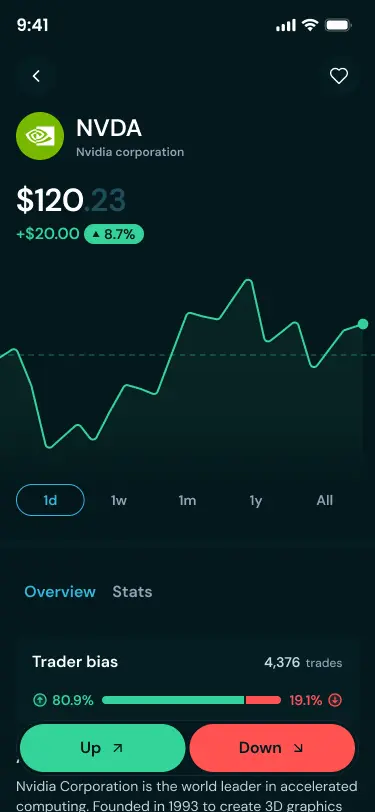
From the home screen, browse Popular markets or use the Search tab to find a specific asset (Stocks, Crypto, Commodities, etc.).
2. Choose your direction
Decide how you expect the asset's price to move:
- Tap Up - if you believe the price will rise.
- Tap Down - if you believe the price will fall.
3. Enter your trade amount
Use the slider to select the dollar amount you want to allocate. If you have Credits available, you can toggle the switch to use them for your trade.
4. Select a multiplier
Use the slider to select your desired level, up to 50x. Remember to review the potential impact on your position before proceeding.
5. Confirm your trade
Review your trade details, then swipe the Slide to confirm button at the bottom of the screen. Once processed, you will instantly earn XP and Gems for your volume.
Liquidation and Auto Cash Out
To ensure the platform remains stable, every trade has a "Liquidation Price." If the market moves too far in the opposite direction of your trade, your position will be automatically closed to prevent you from losing more than your initial trade amount.
To manage this, we offer an Auto Cash Out (ACO) feature which allows you to set specific price targets where your trade will automatically close at a profit or to limit a loss.
Price protection: large trade warnings
When you place a trade, Markets works to get you the best available price. For most trades, the price you see is the price you get. However, very large trades can sometimes experience "slippage"—a difference between the expected price and the final execution price caused by the size of the order.
To protect you, Markets includes a built-in warning system:
- The warning: If a trade is large enough that the estimated slippage exceeds 2% or $500 (whichever is lower), a warning will appear before you confirm.
- Your options: You can choose to Adjust Size to reduce the price impact or Proceed if you are comfortable with the estimate.
- Pro tip: If you see this warning, consider splitting your large trade into a few smaller, separate orders to ensure you get the best possible price.
On this page